
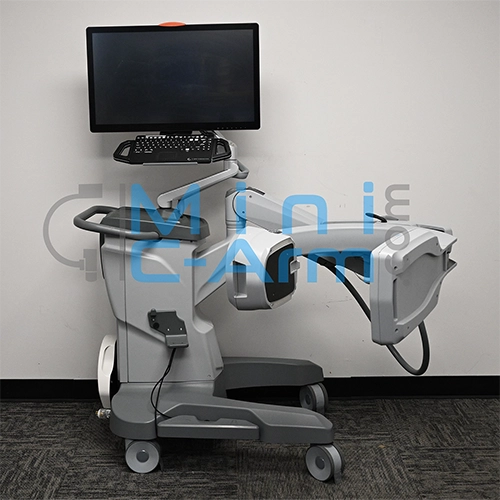
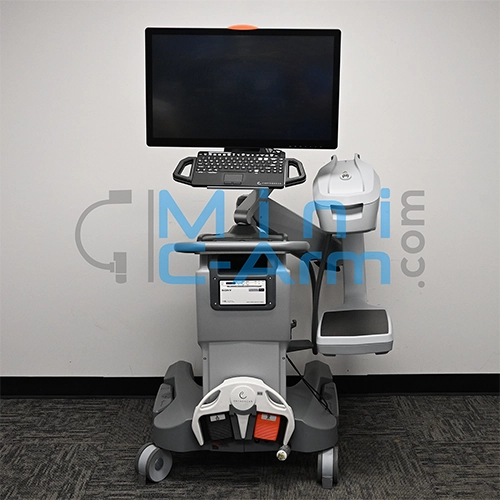
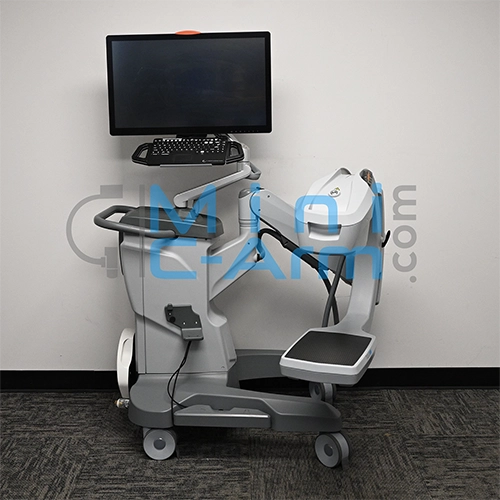
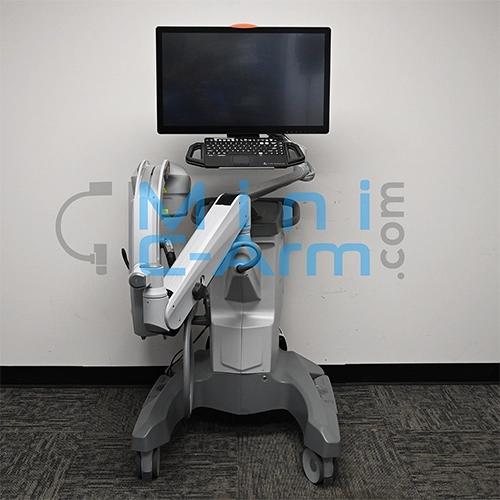
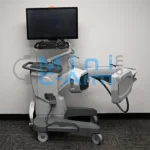
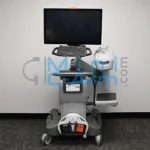
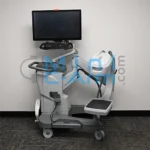
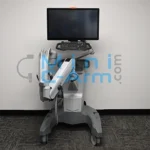
The Orthoscan TAU 2020 is the highest-specification surgical extremity mini C-arm in the Orthoscan lineup. Its 20cm x 20cm CMOS flat panel delivers 2k x 2k resolution across the largest detector field in any Orthoscan system, capturing full extremity anatomy in a single shot at a resolution no other Orthoscan model matches. A stepless 4-leaf 2-axis collimator allows precise beam shaping for any anatomy size, while pulsed fluoroscopy at five dose rates and a pediatric dose filter complete a platform built for the most demanding surgical imaging programs.
The President of Minicarm.com is a co-founder of Orthoscan and our team includes certified Orthoscan technicians with hands-on TAU 2020 platform experience across sales, service, and clinical support.
Available for sale, lease, or short-term and long-term rent nationwide.
1 (800) 643-2998
27-Inch OrthoTouch 2.0 Touchscreen
160° Orbital Rotation
Provides a wide range of orbital movement for flexible positioning and optimal imaging from virtually any angle.
Improved Access to Challenging Imaging Angles
The wide orbital rotation allows for greater positioning flexibility, reducing the need to reposition the patient or system during procedures.
Hosted by: Christopher Bacon, Co-Founder of Orthoscan and President of Minicarm.com
Hi, I’m Christopher Bacon, co-founder of Orthoscan and president of Minicarm.com. Today we’re going to do an overview of the Orthoscan TAU 2020.
Powering On
To turn it on, the green button is in the back. Give it a push. While it boots up, we’re going to take a look at the articulation of the C-arm.
C-Arm Articulation
Let’s do the orbital rotation first. Here’s the minimum height. Here’s the maximum height. And we’ll also do some wig-wag.
Home Screen
It takes about a minute for it to boot up. When it does, you come to this screen. You have four options: you can schedule your cases, you can hit the recall button, you can add your patient information, and you can also start imaging from here.
Entering the Imaging Screen
Just give the fluoro button a tap. You’ll get into the imaging screen. You can see our hand phantom comes up with a beautiful image. One note: don’t tap the button. See how nice this image is. When you start tapping, it gets dark, it gets grainy, and it’s not the best image you can get. So just be patient. Hold the button in for about two seconds and you’ll get a great-looking image.
Bilateral Tube Head Controls
The Orthoscan TAU 2020 has bilateral tube head controls:
Touchscreen Controls
Now that we’re in the imaging screen, we can use the touchscreen. We can zoom in, navigate around, and double-tap to get back. We can also rotate and double-tap to get back. Up here is your fluoro time and silence alarm. If you reach five minutes or more, you can hit this button to silence the alarm. This is your aluminum filter. This shows you that you’re in adult mode. There are three different pediatric modes.
On-Screen Controls
Case Review
On the other side is your case review button. You can choose your cases by selecting or deselecting them. You can send them to DICOM, print them, and save them to the hard drive. Here’s your select all and unselect button.
Patient Information
Here’s your patient information button. Put in the first name, last name, and patient ID. You can also choose the anatomy you’d like to image. Right now it’s in adult mode. You can also put it into pediatric modes. There are three different sizes.
Settings and Help
This shows you what all the icons mean on the screen. Just tap anywhere to get out of it. This is your settings screen.
Returning to the Home Screen
This is your home screen button. You’ll get a popup if you haven’t saved all the images. If you’ve saved everything you needed, press OK and you go back to the home screen.
From the Home Screen
Powering Off
Once you’re finished, to shut it off, just press the green button in the back. It’s just a momentary switch. Please make sure the machine is fully off before you unplug it.
Contact
This has been an overview of the Orthoscan TAU 2020. If you need sales, service, or support, call us at (800) 643-2998 or send an email to info@minicarm.com. Thank you.
The TAU 2020 is the highest-specification system in the current Orthoscan lineup, and Minicarm.com provides the only independent certified service for the TAU 2020 platform. The President of Minicarm.com is a co-founder of Orthoscan, and our technicians have hands-on TAU 2020 service experience across installations, service calls, and preventive maintenance nationwide. Our 24/7 support line resolves 85% of TAU 2020 service calls without a site visit. On-site dispatch targets 24 to 48 hours when remote resolution is not sufficient.
Every Orthoscan TAU 2020 sold by Minicarm.com is inspected and rebuilt to OEM specification by Orthoscan-trained technicians. Refurbishment covers flat detector performance, pulsed fluoroscopy calibration, stepless collimator function, OrthoTouch 2.0 software verification, UPS battery performance, laser alignment, brake and wheel system inspection, surgical LED functionality, electrical safety testing, and full cosmetic restoration.
Request the Orthoscan TAU 2020 Service Manual
| Model | Detector | Best For |
|---|---|---|
| Orthoscan TAU 2020 | 20cm x 20cm CMOS flat panel, 2k x 2k | Largest detector, highest resolution |
| Orthoscan TAU 1515 | 15cm x 15cm CMOS flat panel, 1.5k x 1.5k | Current-generation flagship, pulsed fluoroscopy |
| Orthoscan TAU 1512 | 15cm x 12cm CMOS flat panel, 2k x 1.5k | Current-generation, standard imaging |
| Orthoscan FD | 6x4-inch flat detector, 2k x 1.5k | Standard surgical extremity |
| Orthoscan FD OR | 6x4-inch CMOS flat panel, 2k x 1.5k | OR-integrated workflow |
| Orthoscan FD Pulse | 15x15cm CMOS flat panel, 1.5k x 1.5k | Lowest dose, longest surgical cases |
| Orthoscan HD | 6/4-inch image intensifier, 1k x 1k | Beach-chair, standing-knee |
| Orthoscan UC | 6/4-inch image intensifier, 1k x 1k | In-office extremity, compact |
| Orthoscan Mobile DI | 6x4-inch flat panel, 2k x 1.5k | Most portable (35 lbs, small footprint) |
Need a full datasheet? Request the Orthoscan TAU 2020 service manual from Minicarm.com.
Certified-refurbished Orthoscan TAU 2020 systems from Minicarm.com typically range from $68,000 to $80,000, depending on year of manufacture, hours of use, included accessories, and warranty tier. Each unit is rebuilt to OEM specification and ships with a 12-month parts and labor warranty, inspected for detector performance, pulsed fluoroscopy calibration, collimator function, and OrthoTouch 2.0 calibration before delivery. Call (800) 643-2998 for current availability and exact pricing.
Orthoscan TAU 2020 mini C-arm rentals are available for both short-term and long-term needs, including coverage during primary system downtime, trial periods before purchase, and ongoing high-volume surgical program support. Monthly rates depend on rental length and configuration.
Estimate monthly revenue and break-even timeline using our Clinical Reimbursement Calculator
Review our Mini C-Arm Buyer’s Guide
Learn more about financing options.
Please share your contact information and details about your needs, and one of our medical imaging experts will get in touch with you shortly. Not ready to buy yet or have questions?
The President of Minicarm.com is a co-founder of Orthoscan with hands-on TAU 2020 experience through multi-year service programs. That experience gives our team unique insight into the TAU 2020’s capabilities and overall performance.
Yes. The TAU 2020 is the highest-specification current-generation Orthoscan surgical extremity mini C-arm and remains in active production. OEM parts, software updates, and manufacturer support are available. Minicarm.com sells certified-refurbished TAU 2020 units and provides independent service contracts for practices that prefer third-party coverage.
Both are current-generation Orthoscan platforms with pulsed fluoroscopy, OrthoTouch 2.0 and the same orbital mechanics. The TAU 2020 steps up in three areas: a 20cm x 20cm detector (vs 15cm x 15cm) at 2k x 2k resolution (vs 1.5k x 1.5k), a 27-inch monitor (vs 24-inch), and a stepless 4-leaf collimator (vs fixed). For programs that routinely image larger anatomy, need the highest available resolution, or want stepless collimation control, the TAU 2020 is the stronger fit. For programs where the 15cm square detector covers all case types, the TAU 1515 is the lower-cost alternative with equivalent dose-reduction capability.
A collimator shapes the X-ray beam before it reaches the patient, limiting radiation to the area being imaged and reducing scatter to surrounding tissue. Fixed collimators switch between a small number of preset beam sizes. The TAU 2020’s stepless 4-leaf collimator has four independent leaves that can be adjusted continuously and asymmetrically on two axes, allowing the beam to be shaped to match the exact anatomy rather than the nearest preset size. For irregular or asymmetric anatomy, stepless collimation reduces unnecessary radiation exposure and can improve image contrast by reducing scatter within the field.
Certified-refurbished Orthoscan TAU 2020 systems from Minicarm.com typically range from $68,000 to $80,000, depending on year of manufacture, hours of use, included accessories, and warranty tier. Call (800) 643-2998 or request a quote for current availability and exact pricing.
The TAU 2020’s 20cm x 20cm detector field covers the full adult foot, ankle, wrist, or forearm in a single exposure without repositioning. For reference, the 20cm field is approximately 7.9 inches square at full size, narrowing to 10.2cm x 10.2cm when fully collimated. Larger joints such as the knee may require repositioning for full coverage at surgical magnification, but the TAU 2020 captures more anatomy per exposure than any other Orthoscan mini C-arm. For exact coverage on a specific anatomy type, contact us and we can walk through field-of-view expectations before purchase.