


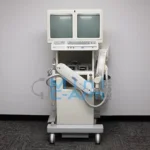
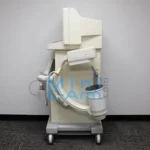
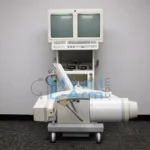
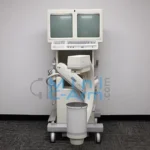
The GE OEC 6600 is a portable mini C-arm built for clinical environments that need reliable fluoroscopic imaging across a wider range of applications than a standard extremity-only system. A dual 6/4-inch image intensifier with three imaging modes, including fluoroscopy, digital radiography, and pulse mode, makes the OEC 6600 adaptable to orthopedic procedures, pain management injections, and emergency care imaging within a single compact platform. The C-arm’s streamlined controls and compact footprint allow single-operator positioning in procedure rooms, surgical suites, and emergency departments without requiring a dedicated imaging bay. For practices that own an OEC 6600 or need a certified-refurbished replacement unit, Minicarm.com is the primary independent source for parts, service, and refurbished systems.
Minicarm.com provides certified-refurbished GE OEC 6600 units, OEM parts, and nationwide on-site service from factory-trained technicians.
Available for sale, lease, or rent nationwide.
1 (800) 643-2998
Hosted by: Christopher Bacon, Co-Founder of Orthoscan and President of Minicarm.com
Hi, I’m Christopher Bacon, president of Minicarm.com and founder of Orthoscan. Today we’re going to do an overview of the GE OEC 6600. This is one of the very first mini C-arms with a 6-inch field of view.
To turn the machine on, just turn the on switch. To remove the AC cord from the chassis, lift the ring and pull it out.
Here is the vertical range of motion. Here is the horizontal range of motion. And here is the orbital rotation. To lock the C-arm back into position, lift the ring and slide it over the image intensifier.
Now I’ll show you how to image. The OEC 6600 comes with a foot switch and a hand switch. Today we’re using the hand switch. Hold the button down until you have a good image, then let off. You can send the image to the right side of the display by pressing the left-right button. That allows you to compare two images side by side. Take another image and send it over the same way.
Now for the keyboard controls. These buttons need to be used live during imaging. You can reverse the image, rotate it, brighten it, change the contrast, negate it, and zoom in. Use the directional buttons to move the zoom box around the image. You can see how precisely it zooms on the second screen.
The front buttons are typically set to floor mode, but you can also do a one-shot acquisition. You can recall saved images, apply averaging, and toggle images between the left and right screens using the toggle button.
Additional keyboard functions include patient information entry, disc view for reviewing images saved to disc, the image directory, and image markers for left, right, up, down, and directional arrows. You also have access to the X-ray summary, special applications, test patterns, a customization button, and setup options.
That covers the GE OEC 6600. If you need sales, service, or support, call us at (800) 643-2998 or email info@minicarm.com. Thanks for watching.
The GE OEC 6600 is suited for facilities running a mix of orthopedic, interventional, and emergency procedures that require portable fluoroscopy across multiple departments. Common applications include:
| Spec | GE OEC 6600 | Hologic InSight 2 | Orthoscan FD Pulse |
|---|---|---|---|
| Detector type | 6/4-inch image | 6/4-inch image | Flat-panel detector |
| Imaging modes | Fluoroscopy, digital rad, pulse | Fluoroscopy, digital rad | Fluoroscopy, digital rad, pulse |
| Metal-Trac | No | Yes | No |
| Primary clinical focus | Orthopedic, pain mgmt, emergency | Extremity imaging | Extremity imaging |
| DICOM | Contact for details | Yes | Yes |
| Best for | Versatile multi-specialty mini C-arm | Value-tier extremity imaging | Flat-detector extremity imaging |
Looking for an extremity-focused alternative? See the Hologic InSight 2 or the Orthoscan FD Pulse.
Need a full datasheet? Request the GE OEC 6600 service manual from Minicarm.com.
Estimate monthly revenue and break-even timeline using our Clinical Reimbursement Calculator
Review our Mini C-Arm Buyer’s Guide
Learn more about financing options.