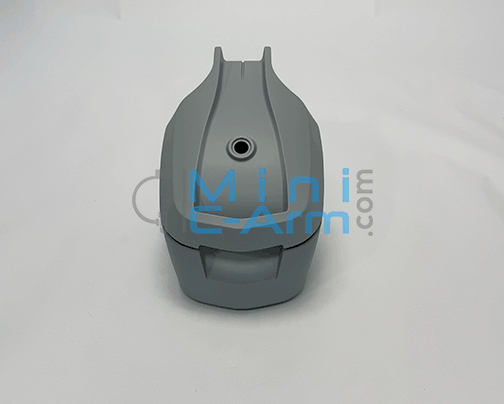
What Is the Orthoscan Monitor Beacon 27″ (270-0052)?
Product: Orthoscan Monitor — Beacon, 27″
Part Number: 270-0052
Model Number: CL2709T
The Orthoscan Beacon Monitor 27″ (270-0052) is the large-format display used exclusively on the Orthoscan TAU 2020 Mini C-Arm. The Beacon is the TAU 2020's dedicated monitor, providing a wide 27″ viewing area for fluoroscopy imaging. It is specific to the TAU 2020 platform — the TAU 1512 and TAU 1515 use a different monitor (270-2001). A failing monitor typically presents as a blank or black screen with the system otherwise powered on, display flickering or intermittent image loss, visible dead pixels or physical screen damage, distorted brightness, or backlight failure producing a dim or unlit panel.
Compatible System
• Orthoscan TAU 2020
Why Source This Part From Minicarm.com?
✓ Founded by the Founder of OrthoscanChristopher Bacon co-founded Orthoscan, Inc. and designed the x-ray tube head used in the first five generations of their machines. You're buying from the experts.
✓ 30-Day Warranty on Every PartEvery part ships with a 30-day industry-standard warranty. If there's an issue, we make it right — no runaround.
✓ Same-Day Shipping AvailableCall before 5PM EST and we'll do our best to get your part out the same day.
✓ 4.9 Stars on Google (60 Reviews)Medical imaging professionals across the country trust Minicarm.com for parts, service, and support.
Need Installation Help?
Our certified field service engineers are available nationwide. Learn more about our service options or call (800) 643-2998 to schedule.
Order Information📦 All parts are sold based on exchange.🔄 Return Policy: All sales are final. Parts are non-returnable.🛡️ Warranty: 30-Day Industry-Standard Warranty❓ Questions? Contact us at minicarm.com/contact-us or call (800) 643-2998. Frequently Asked Questions
Is the Beacon monitor compatible with the TAU 1512 or TAU 1515?+
No. Part
270-0052 is specific to the Orthoscan TAU 2020. The TAU 1512 and TAU 1515 use a different monitor — see
270-2001. Call
(800) 643-2998 with your model and serial number to confirm the correct monitor for your unit.
What are the symptoms of a failing monitor?+
Common symptoms include a blank or black screen with the system otherwise powered on, display flickering or intermittent image loss, visible dead pixels or physical screen damage, distorted brightness, and backlight failure producing a dim or unlit panel. Before replacing the monitor, verify the video cable connection between the computer and display is secure.
What does sold on exchange mean?+
Exchange means you return your defective core unit when you receive the replacement. This helps keep costs down and ensures defective units are properly refurbished. Our team will provide return instructions with your order.
How quickly can I get this part shipped?+
Same-day shipping is available on in-stock parts when ordered before 5PM EST. Call (800) 643-2998 to confirm availability and arrange shipping.
Which Orthoscan monitor do I need for my system?+
Orthoscan uses several different monitors across its product line. The TAU 2020 uses this 27″ Beacon (
270-0052). The TAU 1512 and TAU 1515 use the 32″ monitor (
270-2001). The FD Pulse, TAU 1512, and TAU 1515 also use the 24″ integrated lamp monitor (
270-0050). The MDI uses a 24″ no-light monitor (
270-0051). Call
(800) 643-2998 if you are unsure.
Need More Orthoscan TAU 2020 Parts?
Browse our full inventory of Orthoscan components — monitors, tube heads, hard drives, and more.
Browse Orthoscan Parts